Developed by Hungry Studio, Block Blast gained massive worldwide traction across mobile platforms before transitioning cleanly into browser-playable WebGL implementations.
Block Blast asks you to fit three odd shapes onto a tiny 8x8 board, and the board never gives you a break. There is no timer and nothing falls. Every move is yours to plan, which makes each choice feel heavy.
Hungry Studio built a puzzle where one careless drop can end a run ten moves later. Tidy play wins. Greedy play loses. You can learn the basics in a minute, but the board keeps teaching you for hours.
Ready to test your planning? Start playing Block Blast here and see how long you can keep the grid alive.
Core Rules of Block Blast
The 8x8 Grid Layout
Everything happens on one square board of 64 cells, eight across and eight down. You drag shapes onto the grid. That is the whole action. On a desktop, hold the left mouse button and drag. On mobile, tap and hold, then drag.
Gravity does not exist here. A piece stays exactly where you drop it. Nothing slides, settles, or fills a gap below it. If you leave a hole, that hole stays until you fill it on purpose.
That makes the board a fixed map. You can read it like a chessboard and think several moves ahead. Look for empty rows and empty columns, because those are your targets. A full line disappears and frees up space for the next shapes.
The game is also turn-based. No falling piece pushes you to rush a bad move. You can stare at the grid for as long as you like. This slow pace rewards players who count cells before they commit.
Three-Block Placement Cycle
You never get one shape at a time. The game hands you a queue of three distinct shapes, and you must place all three before a new set appears. Skip none of them.
In this Block Blast puzzle, all three pieces appear together, so each one must be placed on the 8x8 board before a new set arrives.
This is the Three-Piece Batch Cycle, and it shapes every decision. You must plan board space for the whole batch at once, not judge each piece alone. Ask yourself where all three can fit before you drop the first. A great spot for piece one can ruin the spot for piece two.
How Line Clears and Combo Streaks Work
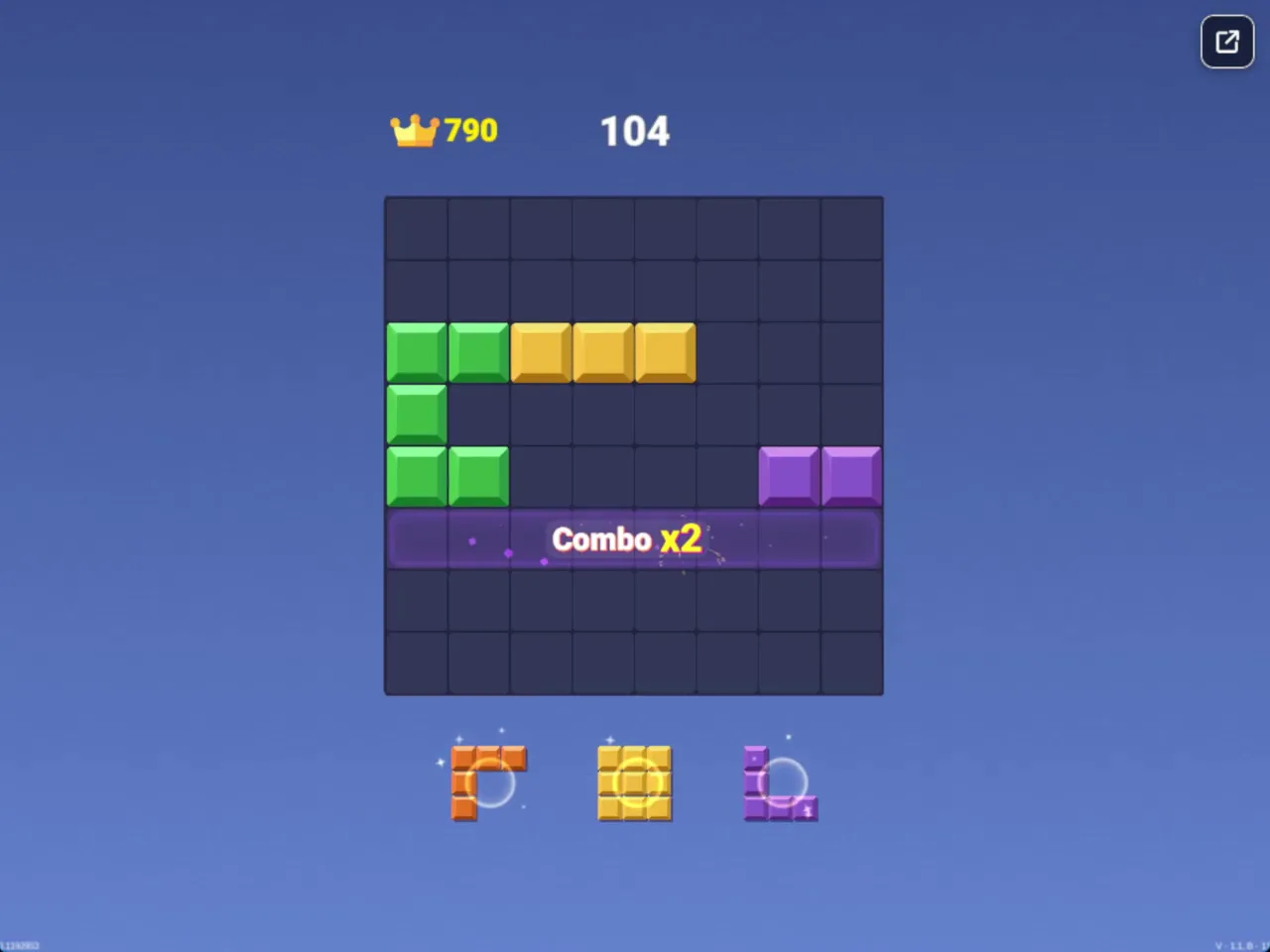
Screenshot of Block Blast: an 8x8 board with a Combo x2 banner across the middle row, next to a current score of 104.
Simultaneous Horizontal and Vertical Clears
Lines clear in two directions. Fill every cell in a row and it vanishes. Fill every cell in a column and it vanishes too. Both count the same, so you can chase either one.
The real fun starts when one placement finishes more than one line. Say a row sits one cell short and a column sits one cell short, and they share a crossing point. A single piece can finish both at once. You get a double clear from one drop, and that scores far better than two separate small clears.
This is why you should not rush to clear a single line the moment you can. Wait. Build two or three near-complete lines, then find the shape that closes them together. A patient setup pays off more than a quick fix.
Keep your rows and columns in mind together. Beginners often only watch rows. Strong players track both directions and let each piece serve two goals. A shape that fills a row gap and a column gap in one move is gold.
Sustaining Combo Streaks
Clearing lines on back-to-back placements starts a combo streak. The game awards escalating score bonuses when you clear one or more lines in consecutive piece placements. Each link in the chain is worth more than the last.
The streak rewards deliberate board setups over isolated, defensive clears. Plan so that your next piece also finishes a line. If one placement clears nothing, the chain breaks. Use your three-piece batch to line up clear after clear.
How a Block Blast Run Ends
Screenshot: the Block Blast results screen after a run ends, with a Best Score banner above a final score of 858.
Board Gridlock and Space Exhaustion
A run ends the moment no valid placement exists for any remaining shape in your queue. The game checks the board against the pieces you still hold. If none of them fit anywhere, the run is over. There is no warning timer and no second chance.
This often surprises new players. The board does not need to be completely full. It only needs to be full enough that your remaining shapes cannot fit. A grid with plenty of scattered empty cells can still end your run if those cells are single gaps that no shape can use.
Scattered holes are the real killer. Many small gaps give you the same empty-cell count as one big open area, but they behave very differently. A big open area welcomes any shape. Tiny isolated cells welcome almost nothing.
Watch the shapes left in your batch as you play. If you still hold a large piece, protect a spot for it before you use the smaller ones. Count your options before every drop.
Preventing Bulky Piece Lockouts
Big shapes cause sudden game-overs. A 3x3 square needs a clean block of nine open cells. A 5-tile bar needs five open cells in a straight line. If your board is cluttered, neither fits, and the run ends fast.
Always keep one wide open zone ready. Before you place small pieces, ask whether a 3x3 or a long bar could still land somewhere. If the answer is no, clear a line first.
High Score Strategies for Clean Board Management
Center Preservation
Keep the middle of the board open. The center is the most flexible part of the grid, because open channels there let big shapes land in many positions. Once you clutter the center, your options shrink fast.
Try to keep clear lanes running across the middle, both across and down. These lanes give 5-tile bars and 3x3 squares a place to go. They also make it easier to finish lines, since a clear channel can be filled in one smooth drop.
Resist the urge to drop pieces wherever they fit first. A piece that fits the center today may block a bulky shape tomorrow. Think of the middle as your emergency space. Spend it last, and only when a clear is on the line.
When you must use the center, place pieces so they finish lines right away. A shape that sits there and clears quickly costs you nothing. A shape that sits there and lingers costs you flexibility.
Edge Loading Tactics
Send awkward pieces to the outer boundary. Odd shapes with jagged edges fit best against the wall, where the board itself fills in for missing sides. Stack them along the edges and keep the center free. Edge rows and columns also clear nicely once you fill them in full.
Release History and Platform Variations
Hungry Studio Mobile Origins
The game gained massive worldwide traction on mobile. Its simple drag-and-drop play made it easy to pick up in short sessions.
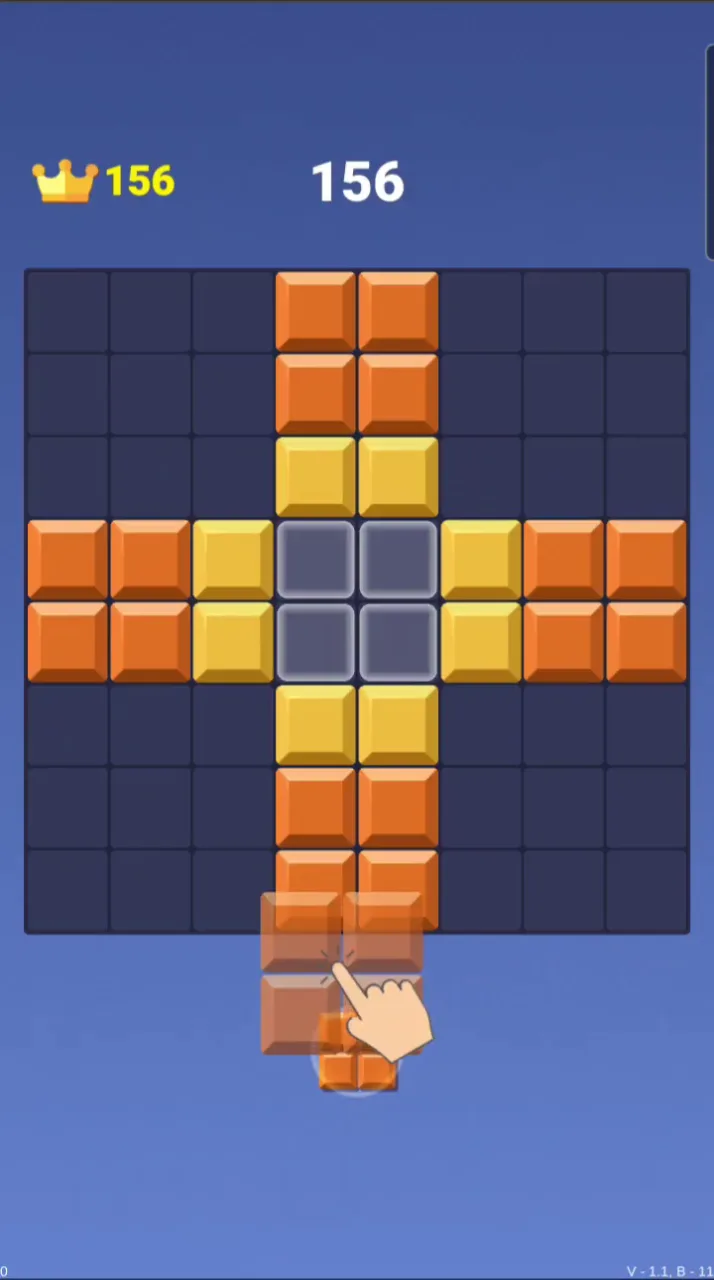
Screenshot from a phone: the Block Blast board is an 8x8 grid holding orange and yellow blocks, with a translucent piece being dragged toward it.
The core idea stayed the same from the start. An 8x8 grid, three shapes at a time, and no pressure from a clock. That clean design traveled well. It also set the stage for the move to the browser, where the same puzzle could reach players who never installed an app.
Browser WebGL Implementations
Try the Puzzle category if you want more games like it.
Want to put these tips to work? Try Block Blast right here and aim for your best combo streak yet.
Both are turn-based grid-management puzzles focused on planning ahead to prevent the board from filling up, but you slide and merge numbered tiles instead of placing polyomino blocks to clear lines.
✨ Key Features of Block Blast
Turn-based puzzle strategy without timers or falling piece pressure
Dual horizontal and vertical line clear capabilities
Consecutive placement combo multipliers
Instant browser play powered by WebGL
How to Play Block Blast
Step 1: Use the game controls
Use Left Mouse Button to drag blocks onto the board. Use Tap and Hold to drag blocks onto the board.
Step 2: Inspect Available Shapes
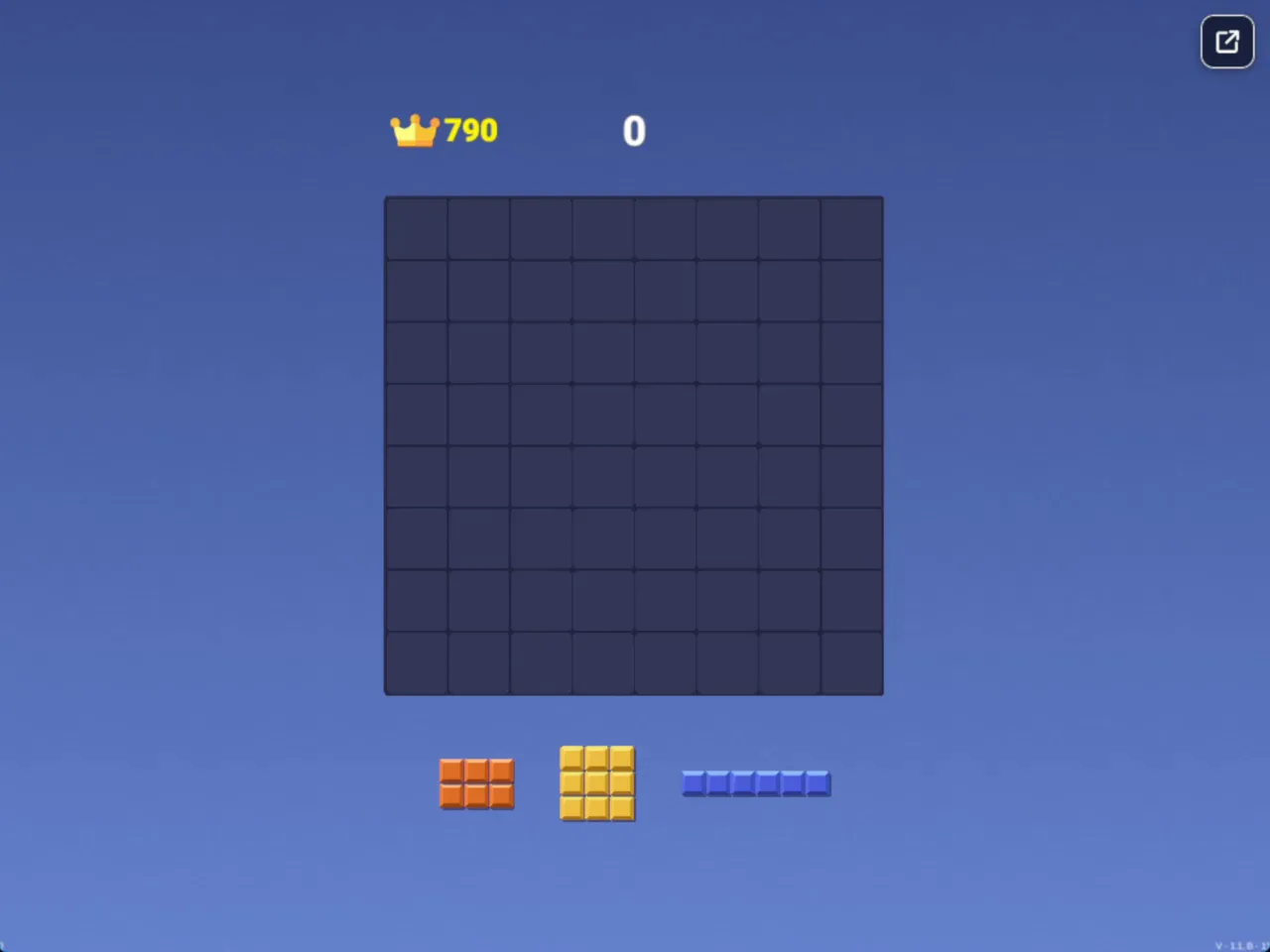
Examine the tray of three block pieces shown beneath the 8x8 playing grid before placing any of them.
Step 3: Drag Blocks onto the Board
Click or tap and drag a shape into open grid cells where it fits without overlapping filled tiles.
Step 4: Form Full Lines
Complete solid horizontal rows or vertical columns across the grid to dissolve tiles and free up room.
Step 5: Place the Entire Set
Deploy all three pieces from your current tray to trigger the arrival of the next batch.
Step 6: Keep Space for Large Tiles
Maintain open 3x3 areas so unexpected large blocks do not cause an immediate board lockout.
Block Blast FAQs
What are the basic controls for Block Blast?
Browser mouse: Left Mouse Button — drag blocks onto the board. Mobile: Tap and Hold — drag blocks onto the board.
Can I play Block Blast on mobile devices?
Yes. Block Blast runs in your phone or tablet browser, and it has touch controls. There is also a mobile app.
Do I need to download Block Blast?
No. Block Blast runs in your browser on this page, with nothing to download or install.
What causes a game over in Block Blast?
A run ends instantly when you cannot fit any of your three available pieces onto the board. Clearing lines consistently prevents large shapes from getting trapped.
Block Blast is a tile puzzle that rewards careful planning. Each turn hands you three distinct shapes, and all of them must fit onto the 8x8 grid before a new set appears, so you have to think about board space for the whole batch rather than one piece at a time.
The combo streak multiplier adds real tension to every placement. Clearing lines in consecutive moves earns escalating score bonuses, which favors deliberate setups over quick, defensive clears. Dragging blocks into place feels smooth with a mouse or by tapping and holding on mobile, and it runs right in your browser.
Ready to test your spatial thinking? Start playing Block Blast right here on this page and see how long a combo streak you can build.
Block Blast Game Image
Game Controls
Left Mouse Button
Drag blocks onto the board
Tap and Hold
Drag blocks onto the board
No comments yet. Be the first to share your thoughts!




No comments yet. Be the first to share your thoughts!